Every piece of work, on its own page
A board card opens as its own page: what it produced, its versions with who made them, and where it came from. And its conversation opens beside it.
New · 10 Read the whole version
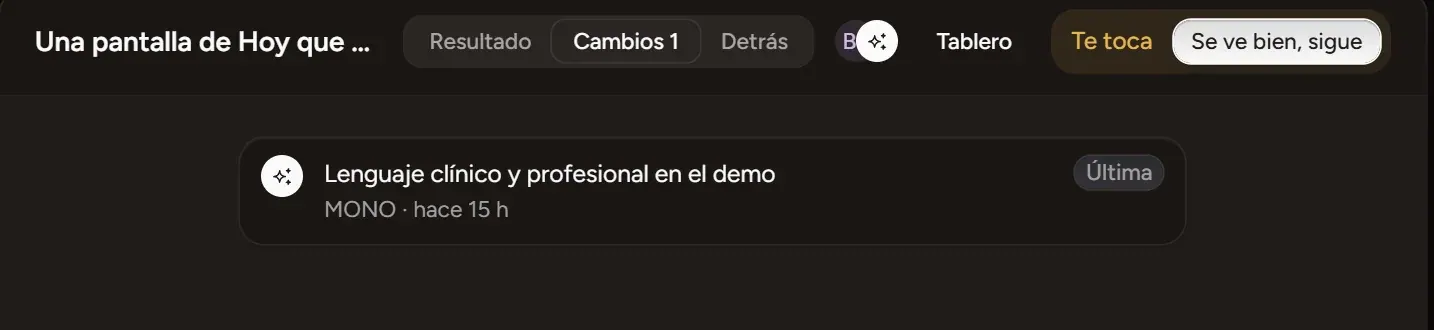
Every version, in plain words. The same notes the app shows you.
What you can do now, and every fix with what used to happen before, so you recognize it. The newest first.
A board card opens as its own page: what it produced, its versions with who made them, and where it came from. And its conversation opens beside it.
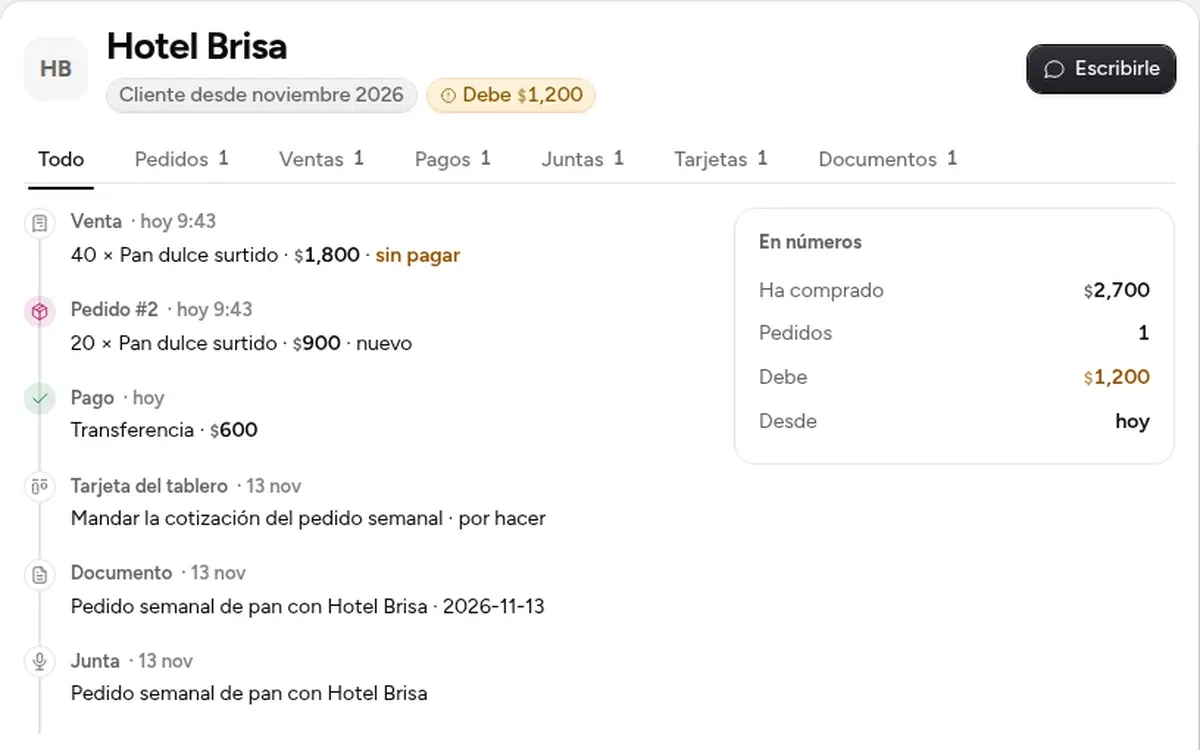
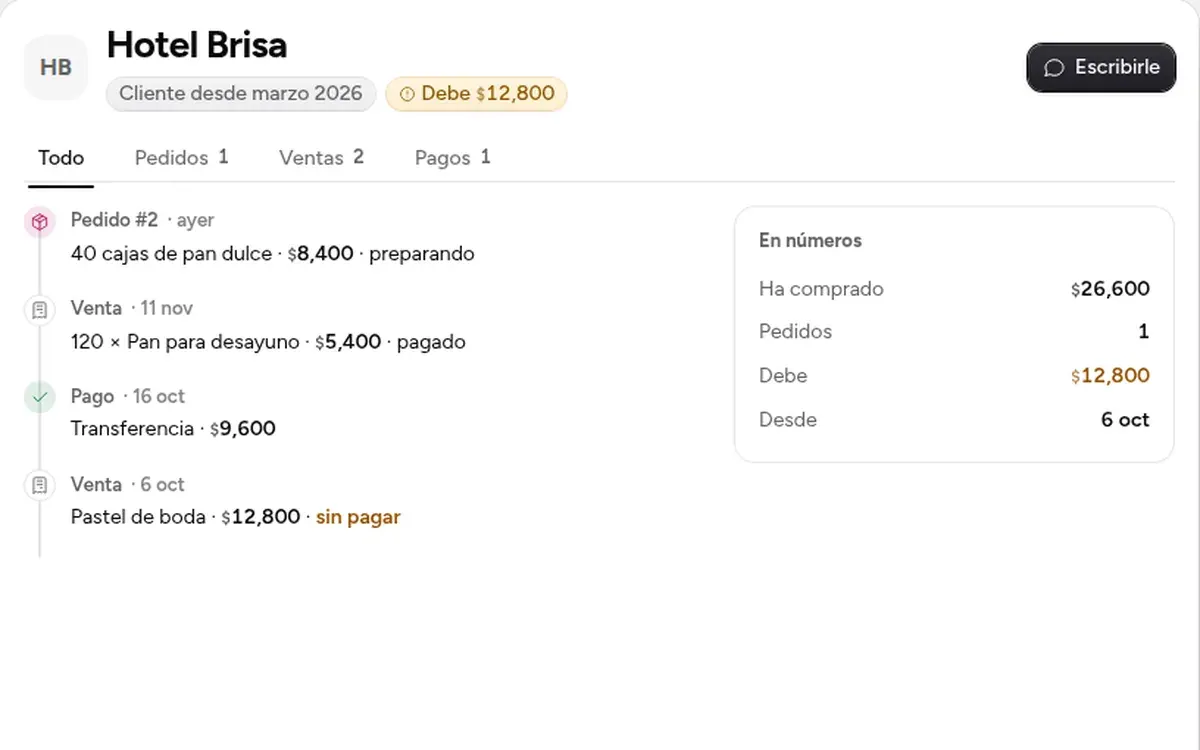
A customer's page now also shows their meetings, the cards those left on the board and their minutes. And a payment entered wrong can now be corrected or voided.
«Who owes me?» or «how are we doing today?»: MONO answers with the numbers in view, and a button takes you to Customers, the customer card or Home.
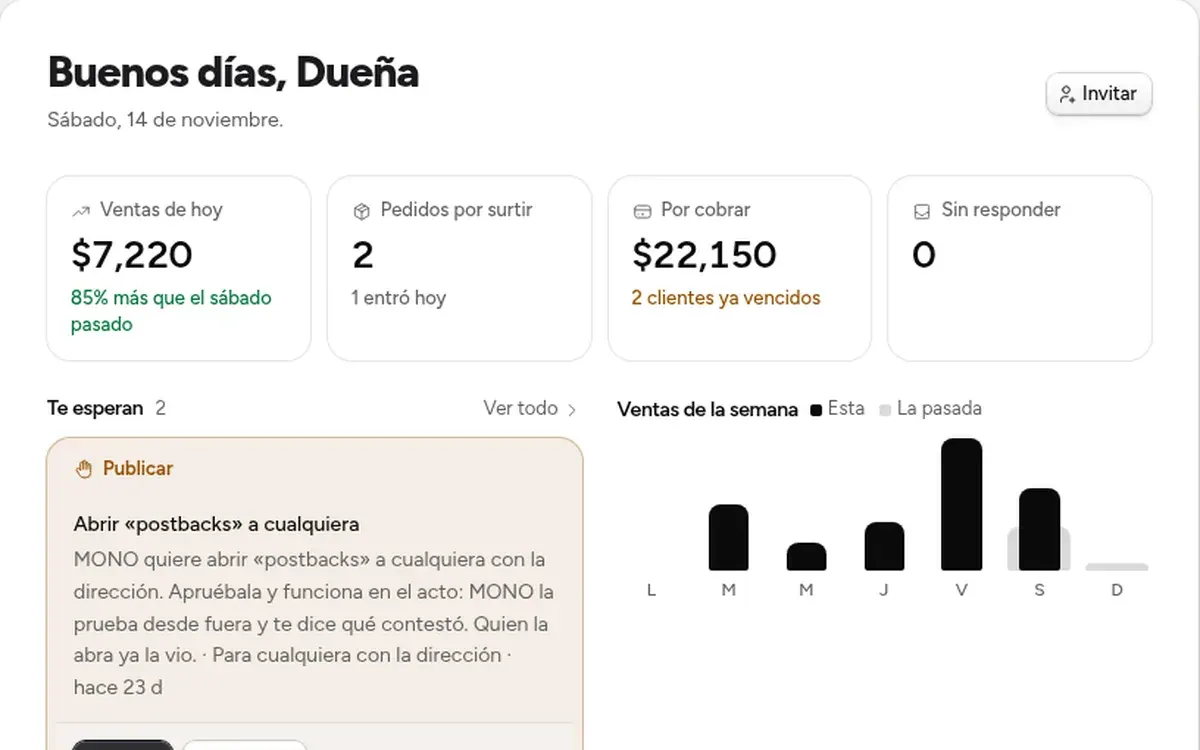
Home now shows how your business is doing today, and the menu is ordered around your business: daily things on top, your apps and customers together, and the rest under «More».
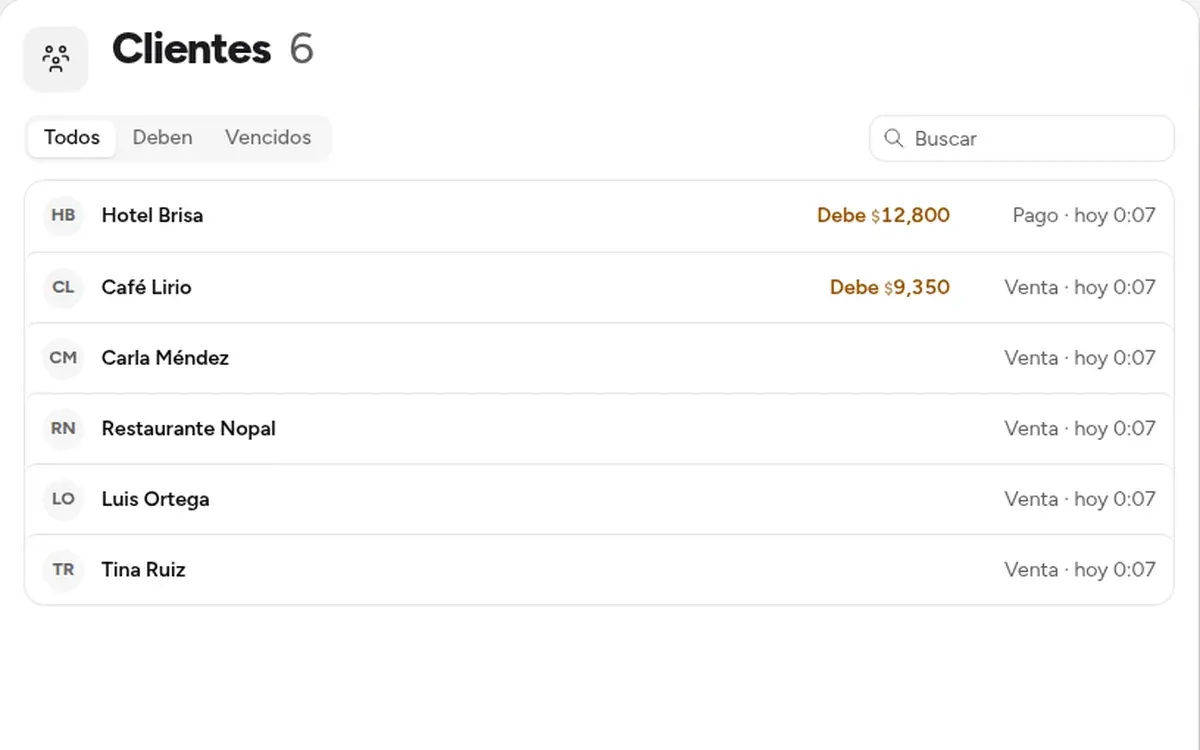
The store, the CRM and the back office now share customers, products and orders; «Customers» tells you who owes you, and each customer has their own card.
Give a Board card a date and it shows up in the Calendar on that day; «How it works» now speaks English; and whoever can only view no longer changes your apps' data.
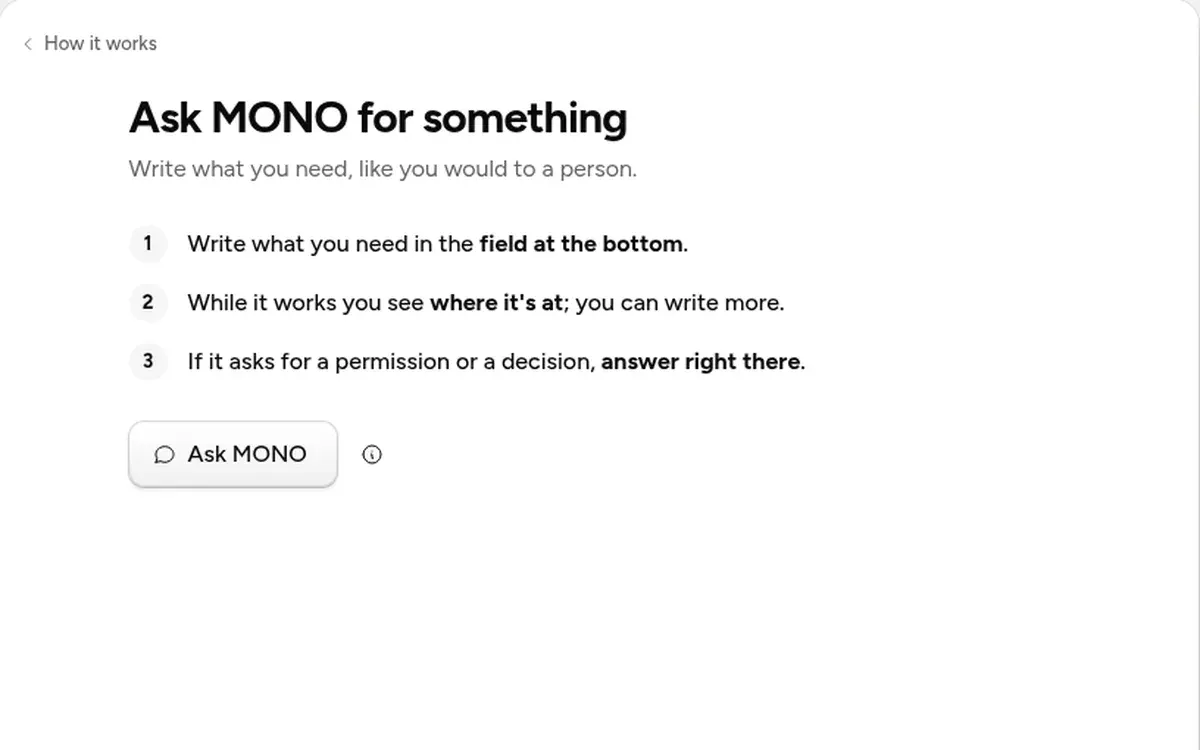
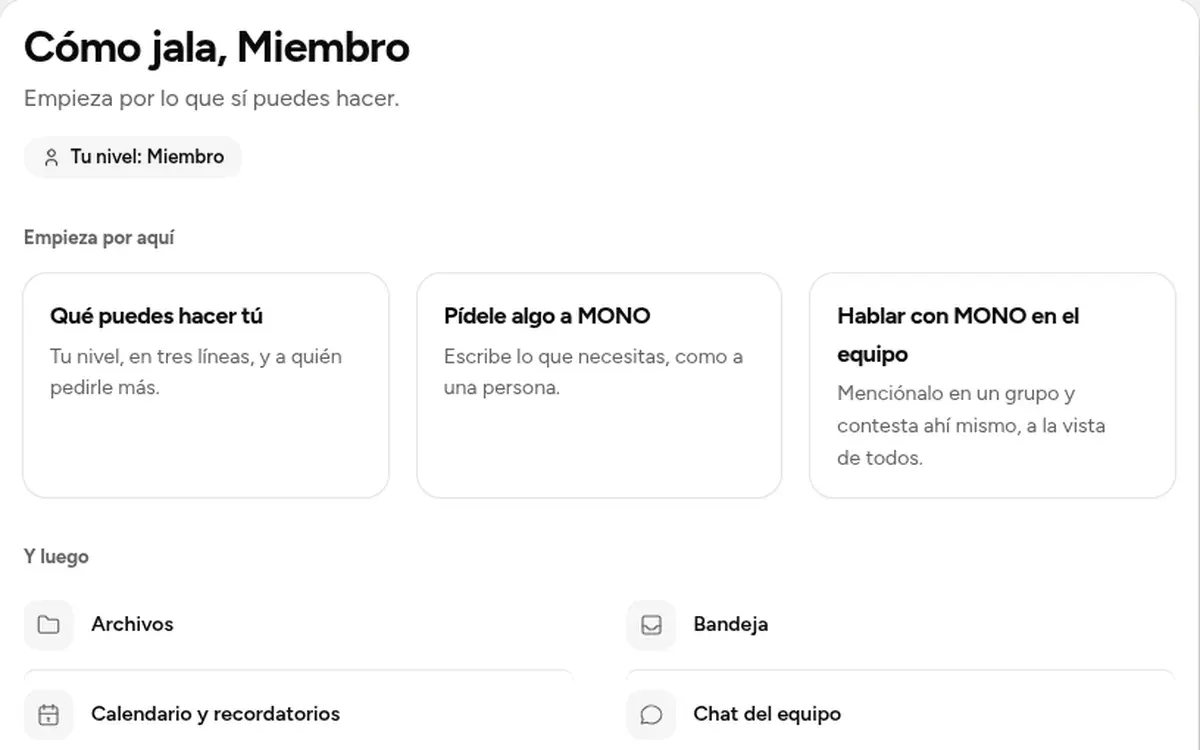
A tab that tells whoever arrives what they can do, in three steps per feature; and @MONO now answers your whole team in the chat.
Connect your Stripe to see your charges and your Google Calendar so MONO can read your schedule; and test what runs on MONO's key without spending.
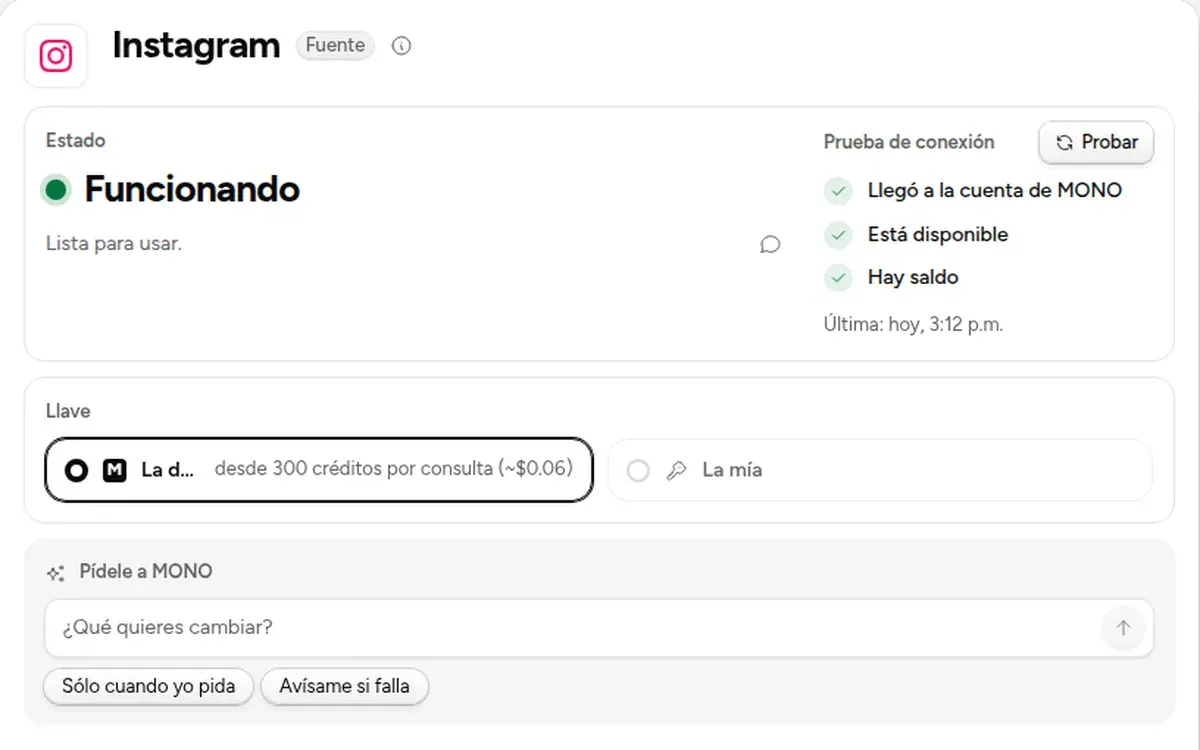
Google Analytics and Search Console open with a Viewer your team can look at, and «Test» tells you in one line whether the connection really works.
Connections shows in one list everything your business has connected and how it is doing; each connection opens its page, with its status and a button to test it.
The Calendar shows your reminders, what runs on its own and what each meeting left; whoever arrives at a meeting by link waits in a side panel, and Sites publishes a single page correctly.
Sites no longer keeps the server busy after you leave, what you can't see is said without useless buttons, and MONO edits your Word documents better.
Someone who reaches a meeting through the link no longer walks right in: they say their name, knock and wait. You let them in or not, and you can remove whoever is already in.
The menu changes a single tab, what you type while MONO works reaches it and you see it, your team's meeting is the call with MONO inside, and a new request no longer swallows a question.
Every app has its own admin screen, the chat shows a turn in a single card, Home greets you with what matters, and Team shows who can approve.
We went through the app screen by screen: everything reads better, tells you what's next and looks just as good in light and dark.
The whole app has a new look: light, warm and roomier. Everything you used is still where it was.
Give MONO your business's website and within minutes it knows your business, builds your first app with what you sell, and leaves everything connected. Nothing to set up.
The sidebar is your office: Home, Inbox, Chat, Tasks, Calls, Calendar and your apps. What needs you lives in one place, and nothing gets lost.
Sites, apps, pages and links together by project, with a thumbnail, who can see them and what they need. And MONO now makes images, voices and audio with any voice.
In Sites you see every link you shared and how long it has left, and you renew it, pin it or remove it.
When MONO writes something long it tells you which file and how far along it is, and the app feels lighter.
If an approval couldn't run, retry it without entering your PIN again; and if Windows Hello doesn't respond, MONO tells you instead of sending you to sign in.
While you share you see everyone's faces, hand over control from the top, and the Inbox shows how to connect your email.
When MONO asks you to review screens, you see them right there, small and full size.
If you connected your own AI plan, MONO shows when it answers with it and when it uses MONO AI.
One question at a time, with one-click options. Anything you miss stays on its board card.
One bar for the whole call, fullscreen that actually looks good, and you hand over control of what you share in one click.
What's selected is marked on its own row, in its section's color, and the mark glides when you switch.
Ten rounds of polish with your real cases: less noise, everything in view, and the same everywhere.
A new call where you see yourself, apps shared as a tab, a personal mode that leaves no trace, and your own AI plan.
Two bars that fill with every request and reset on their own: this 5-hour window and this week. No dollar math.
Every section has its color, less text, everything closer at hand. Plus, your Word files edit as blocks and group calls hold up.
The plan bar tells you what it's asking, and you answer right there. And the buzz no longer startles you.
Your browser opens, you sign in with your email, and you're back in the app. Didn't open? Use a code from any device.
Up top you see what MONO is working on right now, and only real work stays in progress. Opening MONO takes you back to where you left off.
Chat calls no longer fill up at 6, and you can invite people from outside with a link. And your conversation with MONO reads like a document.
Direct messages show who's online and, if they're not, how long ago they left. Click anyone's name to see their card. And you see when people are typing, even several at once.
When MONO is mid-job, you see it in one card: what it's on, how long it's been, and «See on the board». Whatever you write meanwhile reaches it without stopping it, and it reads it at its next step. And when it hits your spending limit, one ending with «Keep going» or «Stop here».
In team chat you see who's online: a dot on their face, at the top of your direct messages, and «Ana and Luis online» in each channel. And MONO tells you when someone comes online or goes offline.
When a job reaches its spending cap, «Continue» and «Stop here» now do what they say. Before, the button sent nothing.
The two «Share» options are now named for what they do: «Share in chat», so your team opens it there, and «Share outside your team», a link with a pass or open to anyone.
What MONO leaves ready to publish also waits for your OK on its board card, and the card moves on its own until your page answers. The bell tells you when it's live. And every app MONO makes or changes shows up at the end of its answer with «Open», and in «Your apps» marked as new.
If the app reloads, the network drops or your computer sleeps, MONO keeps working, and when you're back you see where it is. And while it works you see one line with what it's doing now, not a long list.
If MONO is behind another window, minimized or in the tray, chat messages reach you as a notification on your computer, with their sound. With MONO in front, on another tab, they show at the bottom right; and what you're reading doesn't ring.
Under every answer you see the icons of everything MONO checked: pages, your databases, files, services. Tap them to see what it took from each and open them in a tab.
Messages reach you as a system notification with their own sound, and you can reply right there. Calls with their own window, share a tab or any window, camera, and no background noise. And yes: buzz.
When MONO prepares a fix, one button publishes it: card, branch, merge, backup, the database and the deploy, with one approval. Then it re-checks live and shows how many are left. Files it makes come with Open and Share.
MONO only sees the workspace and project you're in: tasks, bell, brief, board, conversations and search. You can move a project to another workspace and undo it, and permissions MONO is missing no longer fill your board.
When you ask MONO for an internal app or dashboard, it builds it from ready-made pieces instead of writing the page by hand: it comes out in your app's style and is checked in the browser before you get it.
MONO can now read your Google Analytics, Search Console and Meta ads numbers. Connect them in the Store with a service account or a token you seal in the vault; MONO never sees the key.
Every notice in one language, with names you recognize. Repeated requests become one, and anything waiting more than a week is archived without being approved, so «Waiting on you» stays short.
Above the list, one tab per type with how many you have: logins, notes, cards, keys. In «All» each group shows a few and folds, so any type is one click away instead of a long scroll.
A short brief of what matters every morning, and a check every few hours that only writes when something deserves it. Anything waiting for your OK arrives with Approve, Change or No, and you get a reminder if it sits.
The vault was rebuilt: add sits at the top, everything is grouped by type and searchable. It holds cards, bank accounts, SSH keys, notes, IDs or a whole .env. And MONO's browser saves your passwords when you sign in and offers them next time.
Open the vault link in a MONO tab, paste your key, hit «Seal» and it's stored. Before, the button did nothing unless you had opened a terminal.
Ask for a speech, an email or a counter-offer and the full text lands in the chat. MONO does it instead of planning it, tells you the why behind each choice and, for health or money, when to see a professional. Table totals now add up.
Every figure says what it counts: «$63,920/mo», «186 tacos/day». Long labels wrap instead of getting cut, and a three-option comparison fits in the chat. Say «up to 25k» and MONO won't recommend one that goes over.
A small fix gets a few lines, no plan; «keep it short» means short. The plan card says «3 of 3 done» with what it really cost. And prices without a source say «not quoted», never made up.
We fixed the draft card sometimes not arriving, leaving only «the draft covers…». Now the full message is always in view, with its copy button.
Code blocks no longer get cut off on the right: long lines wrap. And what MONO runs for you on your box only reaches package registries; if it needs another site, it asks your permission.
When MONO writes something for someone else —a collection, a translation, a reply— it leaves it as a draft with recipient, subject and body, a button to copy it and one to send it, always with your OK.
When MONO fixes code, you see the change in the conversation: files, the colored code, the test that passed and the buttons to try it and use it. And it tells you whether it's ready for the demo and for real people.
Comparisons come as a table with prices, stores and the one to pick; code reviews show what breaks first and a fix ready to approve; and MONO answers in the language you write in.
Every email and message arrives with what it is, what it's about and its tags. Up top, «Today» tells you what needs you; it reminds you to follow up, and MONO drafts a reply you send yourself.
In a comparison, «Keep this answer» puts the chosen answer in your conversation so you continue from there; tables no longer get cut off and the models are each maker's newest.
Send the same question to several models at once without knowing which is which, vote for the best, and MONO merges the best of all into one answer.
What MONO writes in each project's Wiki comes out in your app's language, and in Memory › This project each page says something concrete: the state, how many changes and by whom.
Each project's Wiki now carries what MONO learned about it: what it is, how to work there and what changed. MONO uses your Wiki notes when it works, and Memory › This project shows the same.
Every approval shows where it stands with a color and a word: your call, waiting, approved or rejected.
If your MONO restarts, dictation goes back to its own transcription as soon as it's ready, with nothing to restart. And if something fails, it tells you what happened instead of «try again».
Ten rounds of testing on this week's features: long work really goes to its card and «continue» resumes it instantly, «Connect» always shows, tables don't break words, and notices speak about your computer's system.
Long work goes to a board card and MONO tells you when it's done; the message box never locks. «Stop» pauses it, «continue» resumes. And «Update» and «Restart» show right away what they're doing.
After you confirm the first time, your computer really saves its key and every approval is just your PIN, fingerprint or system password (now on Linux too). Dictation uses the microphone you picked in Sound, and tells you if it can't hear you.
The first time you approve on a computer, the confirmation opens in a MONO tab, not your browser: type the code from your email and your computer's key is saved. After that, just Windows Hello or Touch ID.
Approving something (publishing, sending, paying) no longer opens the browser: your computer keeps its own key and you sign with Windows Hello or Touch ID. One fingerprint or your PIN and you're done. Your agents can never approve themselves.
Confirming it's you now approves the box you're working on (before, it could go to another one on your account). If something fails it tells you what in one line, with «Retry», and the approval resends itself once you confirm.
The chat's «Connect» button now opens that connection's page in the Store. Before, it landed on «not in your Store». Search Console and Google Analytics now have their page too: it says what's missing before you can connect them.
Work MONO leaves running on its own has a spending cap: «up to $2», with a progress bar, and when it gets there it pauses and asks whether to keep going. And when connecting something would make the answer better, a «Connect» button opens its page in the Store; once connected, MONO notices and picks up where you left off.
In tables with many columns the text wraps, so the last column is no longer cut off. And MONO no longer says it left a file or tested something unless it's true.
Tables no longer add the total twice or show inflated percentages, don't add up prices or cost per result, and short ones show every row.
When MONO gives you a result as a table, it shows as a real table and the last column is no longer cut. On the board, changes to your projects say «Try it» and «Use this change». And if you run out of credit, MONO keeps answering with what's free.
If a sheet or document loses its connection to your box, the tab reopens itself on the same file. If it can't, it tells you with a «Reopen» button instead of staying grey and not letting you type.
A pink accent, every answer says which model wrote it and what it did, and charts and tables show in color inside the chat and big in their tab. Plus files up to 5 GB that upload in chunks and resume on their own if the connection drops.
To approve you no longer sign out and back in: confirm with one click and MONO approves it. Each card brings its tasks, its conversation and its activity. And your box's browser fills the whole tab.
One card per request, with its tasks inside and a color per type. What's waiting for you goes on top, old work tucks away, and the conversation keeps one next step.
When MONO finishes a change that needs your OK, the chat ends with «Publish it?», what changes and one button. The tab says it's a preview and not on your site yet.
When MONO opens a preview of a page in your project, you can now capture it, record a Session or turn on Dev mode: it's yours, and MONO knows which project it belongs to.
When there's a new version, MONO tells you once and one click updates everything: the app and your box. Your conversations and tabs stay right where they are.
Before anything that can't be undone, MONO shows what goes and asks for Windows Hello or Touch ID instead of typing the name. And in the browser, MONO now gets all the way to the payment page.
MONO answers in a sentence or two and opens the rest in a tab: options to choose from, a plan on a calendar, or how your to-dos are going. And when it can decide for you, it decides and tells you why.
In the Inbox, the «Your own address» card cut your name on Windows (it showed «jo» instead of «joel»). Now the field grows with what you type.
In the Inbox, MONO writes the reply and tells you why and what it used; you send it or toss it. The owner can open a company mailbox with a reason, and the person is told. And shared document editing survives box restarts.
Move & resize now really resizes, Dev mode has its own «Send to MONO», a click that fails becomes its own task, and Mail joined the Inbox. Plus, menus open right next to their button even with a smaller interface.
In a Session you see what you say as you speak, and your clicks land on the timeline. Dev mode tells you what to do in one line and shows what MONO understood before you send. And mail and messages now live together in the Inbox.
Change pages without losing the take: every mark stays on its page, and MONO knows what you clicked, on which page, what failed in the console and which request didn't answer.
In MONO's box, the text appears in under a second as you speak, in your language, and your voice never leaves your MONO.
One button to capture, record or talk to MONO about what you see; charts that open in their own tab; full WhatsApp; you decide which accounts your team sees; and the microphone understands you in your language.
Creating no longer asks for a name, what you paste comes in with its formatting, each workspace keeps its own tabs, and MONO's entries in the sidebar stay as they are.
When someone writes, you know: a notification with their face and «Reply», back-to-back messages grouped, and the count on the taskbar.
With Session and Dev mode you show MONO what you want changed while you talk; dashboards update on their own and MONO walks you through them on video.
Chat is a group chat, with names, presence and @mentions; you see who has access and where it comes from; and the browser has a phone view and your things from Chrome.
Chat photos show whole and open big, your voice notes reach MONO as what you said, and whatever you drop lands right where you drop it.
You choose from every model and MONO calls a specialist when needed; the board shows what each job is doing and why; and email reads like Gmail.
In a project, conversations belong to the team, Files has «In the cloud», and what you publish shows in Sites with its test and production.
On a 13" laptop the app no longer feels cramped: one status indicator, one less strip, and your apps show their initials.
You see your team and MONO working with you on the same board, sheet or document. The five sections you use every day, polished; saving and editing, solid again; everything in your language; faster, and never in the dark.
One type and spacing scale across the whole app, the same colors and icons everywhere, and conversation pieces in your language.
The app starts lighter and long lists no longer stutter; if the network or your box drops, a band up top tells you what's going on and everything comes back on its own; and you can use all of it with the keyboard.
You can save sheets and documents again; «Can work» edits documents; whoever can only view knows it and can't type; and when you remove someone's access they leave the document in seconds.
What your MONO answers now shows in your language and without technical terms; a public page waits for your approval; and first launch no longer opens two payments on a double click.
A double click no longer requests two top-ups or two activations, the vault doesn't create two links, and if a payment fails your account tells you with «Update card».
A double click no longer tests or runs a worker twice, a draft doesn't turn on without you seeing who it sends to, and 3D models show with their light.
What your box can't open is explained in words, an address that isn't a page no longer searches for an odd site, and the shared browser says who else is there.
In Data and sheets you can select and edit cells again; two quick changes to a row no longer clash; and a meeting offline keeps what was said.
If deleting, moving or uploading didn't work, it tells you what didn't happen and why; you see a PDF's first page; and the board doesn't lose what you typed offline.
With many conversations a search box appears; a step that didn't finish no longer shows as done; and giving or removing access says what happened when something fails.
«Can work» now edits the board, sheets and documents; if your access to a MONO is removed it tells you; and your account warns you before anything turns off.
Your MONO's name follows the same rules as when it's created, and joining one with an invite is no longer confused with signing in.
A new version to install with everything from these days inside: live collaboration, all five sections polished, and a lighter, sturdier app underneath.
Pages that fail say what happened, tabs fit even with ten open, downloads make sense, and when MONO browses for you, you see what it does and why it waits.
You see who has each card with their face, MONO when it moves one, the plan with dates that make sense, and what MONO proposes is reviewed in the card's detail.
Long names are readable, outside databases look like yours, a row someone is editing says who, and you can ask for control from Data.
Each person has the same color everywhere, you see who hasn't come in yet, guests sit apart, and the team chat no longer spills out of place.
Real tables, attachments that come back as cards, what MONO did overnight explained, emails to approve that look like emails, and one broken message no longer takes the conversation down.
Copying an app, taking it back to an earlier version or removing it can now be asked of MONO, and it lands in the log with your name. When removing an app it tells you first what goes away.
When MONO wants to change a card or a row, it shows you its version next to yours with the differences marked, and you decide. Files no longer lose their comments when moved. And if two people go for the same thing, one asks for control and the other hands it over.
Each person's cursor, with their name and color, in documents, sheets, the board, Data, the whiteboard and the shared browser. Follow someone with a click on their avatar. And MONO shows up where it's writing.
Saving, deleting, moving cards or changing a row goes through the same operation MONO uses: it lands in the log with your name, deleting can be undone, and nobody overwrites what someone else just changed.
Meetings that take their own notes, your Chrome stuff in one click, any database or service connected, apps it proposes before building, and only you approve what charges or sends.
The charts, tables, metrics and videos MONO shows you read better and no longer overlap.
The Store searches and filters, a Worker that fails tells you at which step and why, the board moves without dragging, and in Files you preview anything with Space.
Tabs drag and answer the keyboard, the «+» menu fits, your account lives in one place at the bottom, and Settings works the way it should.
Everything in the Store has its own page —what it does, what it costs, what you've spent—, what fails isn't charged, and the conversation looks and works better.
When you ask for something big, MONO splits it into steps, puts it on the board and works through it on its own: it tells you each step it finishes and what's next, so you never have to ask how it's going.
Ask for videos and see them in a second, the conversation is always one —with the model you pick—, and MONO no longer goes quiet or gives you a link that won't open.
A Worker can now think —read your data and send you the summary every morning—, the Workers list shows what's running and what it costs, and MONO answers shorter and never says what it shouldn't.
Everything that runs on its own is now a Worker, reminders are separate and free, and every piece with data tells you where it comes from and takes you to the source.
A mockup or .html page from your project opens in its tab with its styles, and deliveries bring thumbnails and their video.
A document, a deck, a PDF, a video, a database or your app arrives as a preview you open with one tap, and you see what MONO is thinking while it works.
Every piece was redesigned: what matters glows, charts tell you more when you hover, and each place brings its card and what you can do with it.
Pin a calculator or a table as a tab, ask MONO to change it and undo if you don't like it; MONO sees what you move, and diagrams, timers, quizzes, galleries and 3D models arrive.
When you look for places you see the list and the map together, save with the star from the pin, and MONO opens any of your screens by name.
Charts read your database and update themselves, buttons do things asking for your OK, and forms, itineraries, checklists, metrics and maps arrive.
Steps tell the truth when something waits for your OK, arrows look like arrows, and a tab that couldn't open now recovers.
When you ask for something with numbers or a decision, MONO answers with a calculator, a comparison, a table, a chart or choices — built while it writes.
Approve right in the conversation, control every volume and your speakers, and MONO builds a full app and opens it for you.
Press Enter and MONO is already thinking, and Messages brings WhatsApp, Telegram, Instagram, LinkedIn and email together with unread counts.
MONO models whatever you ask in CAD, and what it researches opens in a tab with a list, a map and sources.
Chat shows your name, your chats and notifications live at the bottom, closing with unsaved changes asks first, and every tab does more.
Members use MONO with their own permissions, every send waiting for your OK shows where it came from and the whole message, and presentations come with designs.
We went through every tab: CAD like an engineer's tool, live cameras full screen, presentations MONO builds for you, and nothing gets sent without your OK.
One browser with tabs and the classic menu, connect your apps right here, and uploading files always works now.
The app asks you to sign in or create an account, never joins a MONO on its own, and the browser opens pages instantly.
When something is missing, MONO says what to ask and whom, and your app gets its database connection on its own.
MONO interviews you, shows you a prototype it already tested, and once you love it, builds it in the background while you keep chatting.
Cards show just their title; one click opens everything else. And every task has its own branch.
Any new conversation knows which apps exist, who can open them and what was decided; and the window drags from the top again.
Each project keeps what MONO knows about it, and even if you switch model or mode, it picks up right where it was.
Your agent keeps working even if you close the app or the network drops, MONO updates itself without closing, and the classic app is retired: everything lives in the new one.
Drag files anywhere in MONO, call your team from the chat, and watch MONO do web tasks for you.
MONO tells you where things stand when you're back, keeps your apps from falling over, and helps your people use them: who captured today, reminders and going live.
Zooming no longer leaves the map black, what you've seen doesn't load again, and searching for a place suggests as you type.
Mention documents with #, comment on any file and it reaches your chat, with reactions, threads, attachments, search and webhooks. All encrypted in your box.
Team chat with @MONO inside, MONO as a drive on your computer, and your files better protected.
Two people on the same sheet, document or whiteboard at once, each with their name, and the terminal is shared like on a call.
A project can be a separate workspace with its own screens, and inside each app everyone sees only the sections of their role.
MONO tells you as soon as there's a new version, you choose one by one who gets into each app, and your box's browser is almost twice as fast.
The whole app speaks one design, ask «what are people saying» and MONO searches seven networks at once, and none of your apps goes public without your yes.
The app is ten times lighter and the window shows the moment you click, instead of leaving you wondering if it opened.
The sidebar is grouped in three, a failed reply can be retried, and your box's browser finally clicks where you click.
The apps you create are born private, you now build one in three steps, and you see your mail, your sites and what MONO remembers without leaving the app.
When MONO tests what it built, a «Test» tab opens where you watch it click, find what breaks and test again until it works.
When you ask for something, MONO puts it on your board, opens it and tells you where it starts. And the apps it builds look much better from the start.
The wiki reads properly and each project's home is back. And MONO tests what it builds by itself before telling you it's done.
From now on, almost everything new in MONO reaches you in seconds, without reinstalling. And the map no longer leaves empty squares or cut-off cards.
The map responds instantly even with many places, every card fits on one line and your dot no longer covers anything. And your MONO only accepts updates we signed.
Connect WhatsApp by scanning its code inside MONO, watch cameras without leaving the map and see how far each place is.
See your places as a map, a list or both side by side. And in a small window the conversation and the desk take turns instead of spilling off screen.
Places open on a full map: plan routes, gather leads and turn on layers. And ask MONO what is happening right now anywhere.
When MONO looks up places it shows them with photos, a map and directions. The whole app moves and sounds, you choose how hard MONO thinks, and connecting WhatsApp or your email can be bought right from the Store.
Under each reply you see what MONO decided and how sure it was. The Store has every app by name, and connecting WhatsApp or your email now goes smoothly.
The whole app was redesigned: every screen, button and menu. Each integration has its own page with a video on how to connect it, and you see where MONO gets what it tells you.
MONO uses the right model for each thing, and if you run out of the most powerful ones, it keeps going with the next one and tells you how to continue.
Put together a reel or a YouTube video in a tab. MONO adds subtitles, cuts the silences and exports it for every network.
Windows, Mac and Linux. It updates itself.