0.107.7
Show it to MONO, and let it do it
One button to capture, record or talk to MONO about what you see; charts that open in their own tab; full WhatsApp; you decide which accounts your team sees; and the microphone understands you in your language.
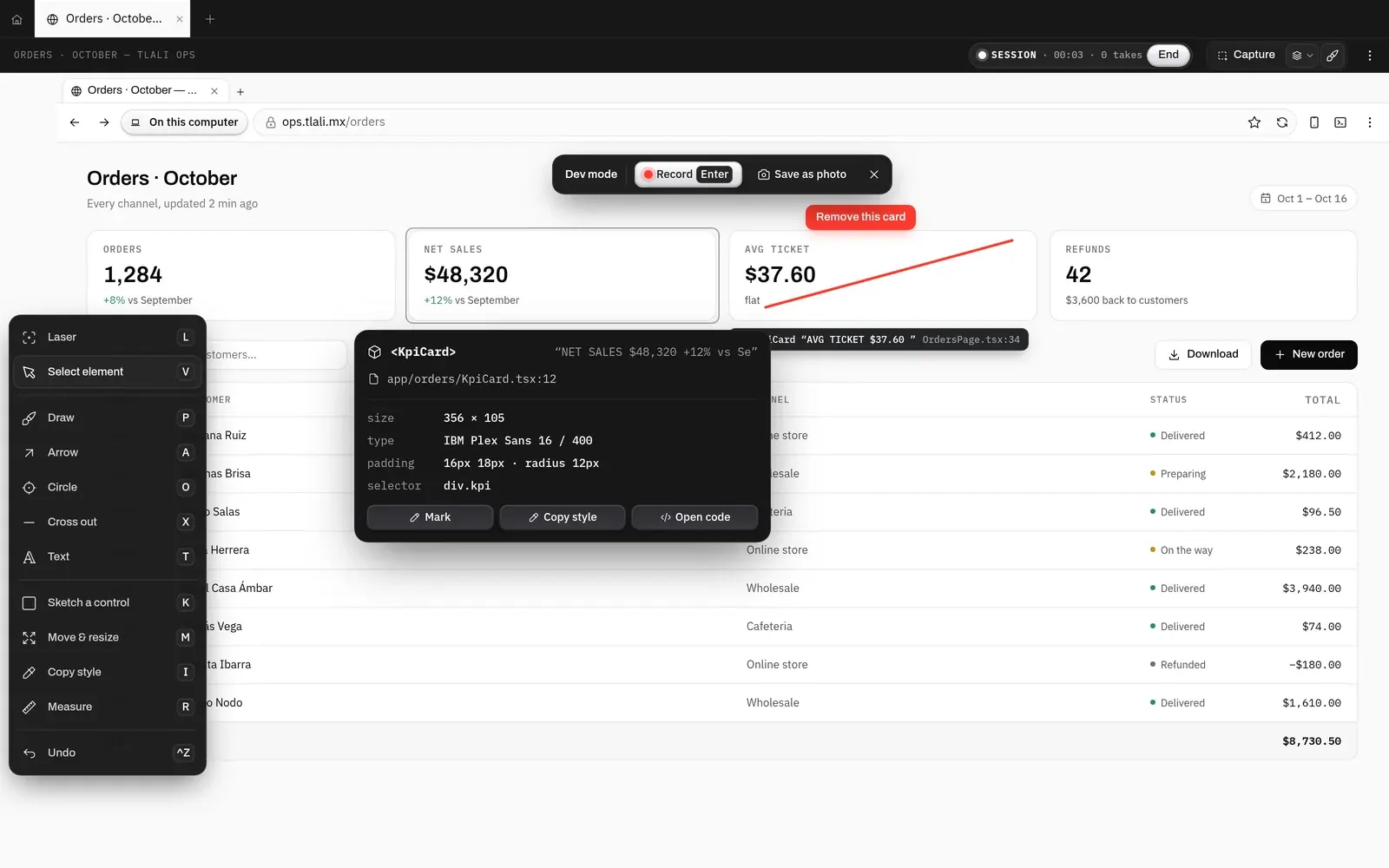
- New
Capture, in one button
Above every tab, «Capture» opens Photo, Video, Session and Dev mode, with 18 tools to mark it up: arrow, circle, text, cross out, measure… The card that reaches the board says what it is and where.
- New
Session: you talk, MONO gathers
You walk through the app talking and taking photos; MONO understands every take, and when you're done it leaves ONE change on the board with everything you said.
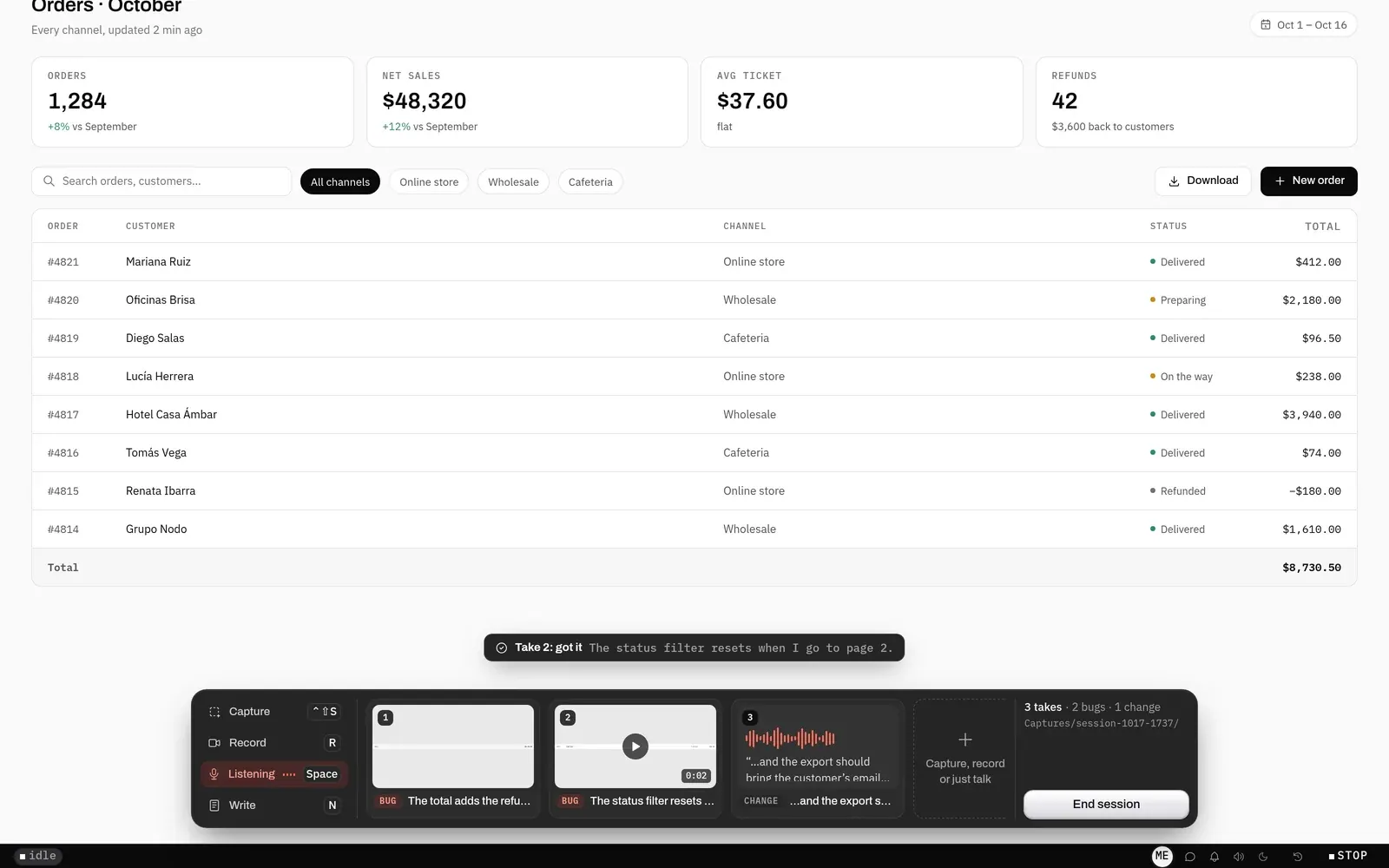
A Session in progress: three takes below —two bugs and one change— and MONO saying what it understood from the second. - New
Charts, in their own tab
«Make a chart» now makes it: it opens in its own tab, highlights what the title says, and has «Make a video» and «Export» in view. Before, the button did nothing; and picking an option MONO offers now sends it.
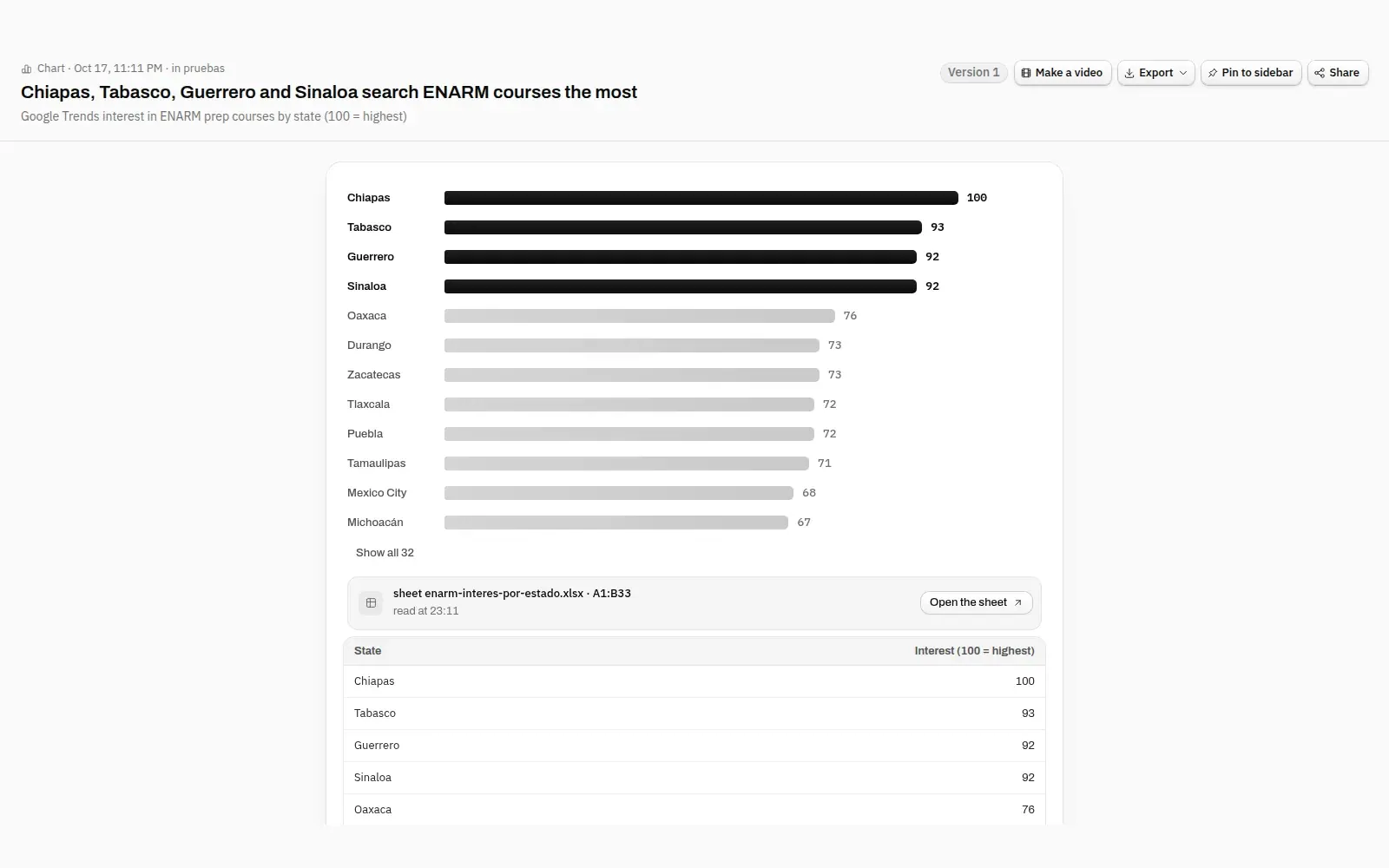
A chart in its own tab: the four states in the title highlighted, «Make a video» and «Export» up top, and the sheet it came from. - New
Full WhatsApp
Before, only the text showed. Now photos, stickers, video, voice notes, files and reactions come through, with their check marks and full-color emojis.
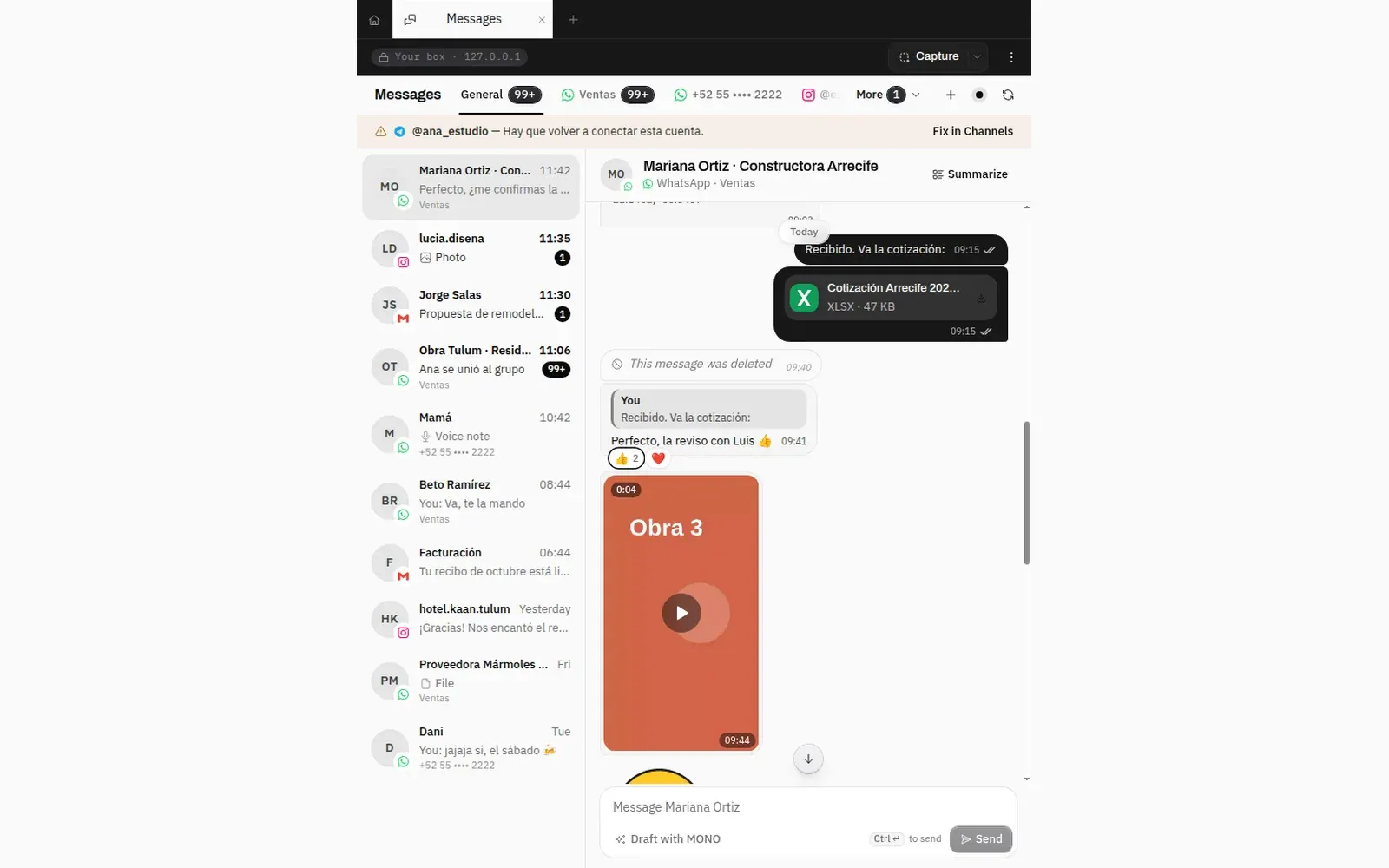
A WhatsApp conversation in Messages: a file, a reply with reactions and a video. - New
Shared or personal and private
When you connect an account MONO asks who sees it: «Shared with the team», or «Personal · private», only you. The owner sees how many private ones there are and whose, never what's in them.
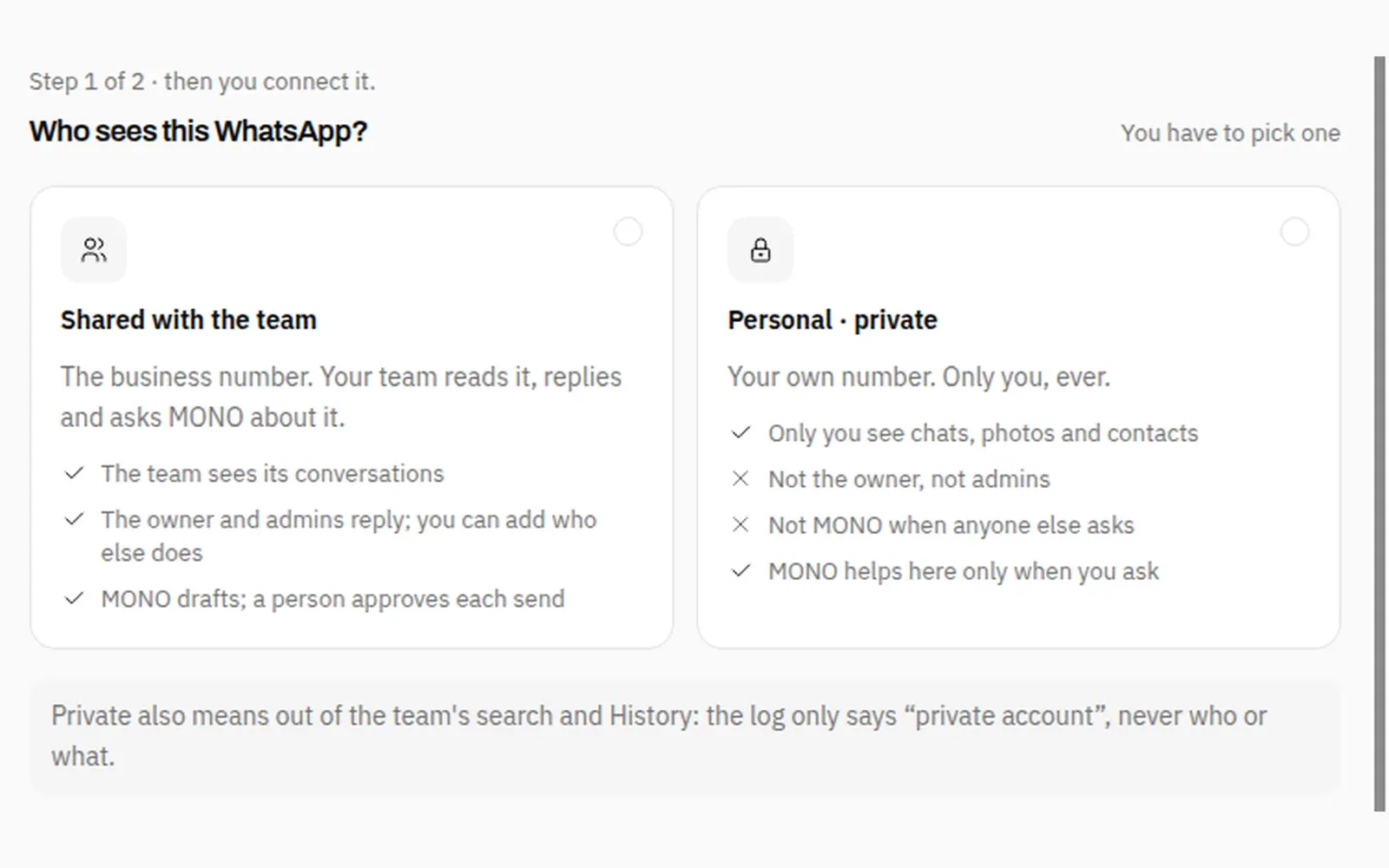
Connecting WhatsApp: «Shared with the team» or «Personal · private», and what each one sees. - Fixed
The microphone, in your language
Before, dictation translated into the app's language and recorded with whatever microphone it liked. Now it writes what you said in the language you said it, uses the microphone you chose and says «Transcribing…»; in a Session it no longer cuts words in half.
30 s a Session cuts at the first pause, not mid-word