0.129.0
Your apps, your team and the chat, clearer
Every app has its own admin screen, the chat shows a turn in a single card, Home greets you with what matters, and Team shows who can approve.
- New
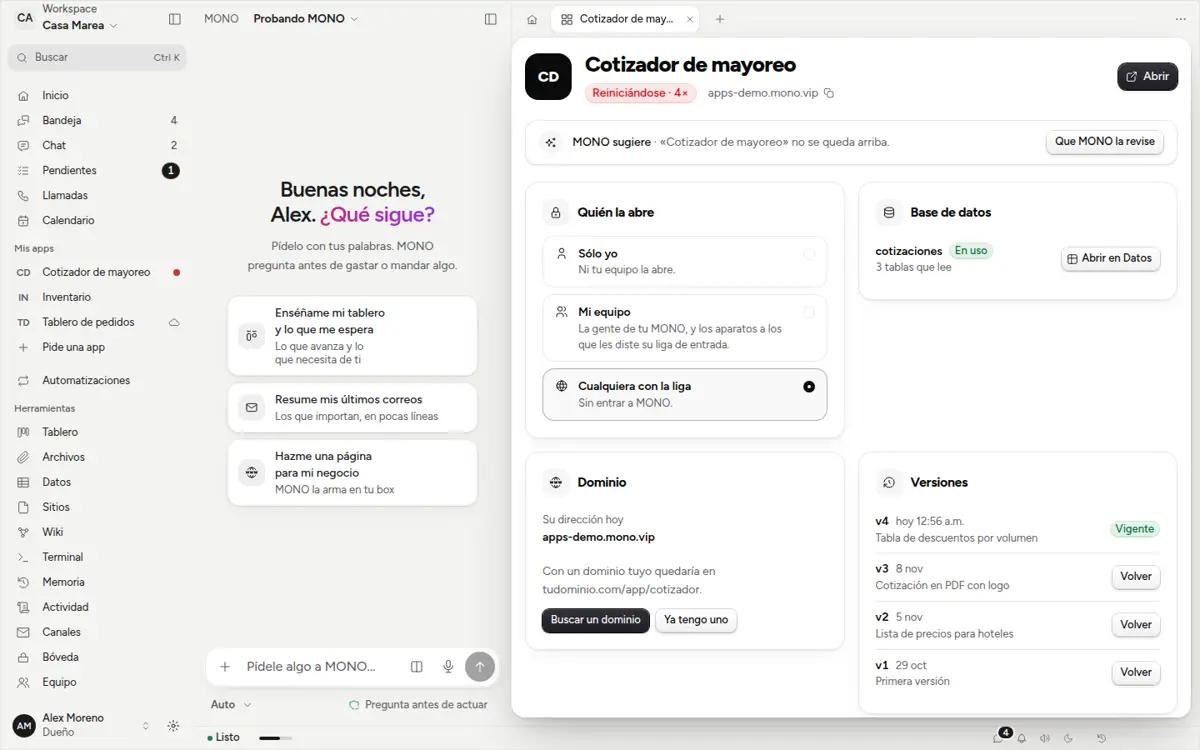
Manage each app
From «My apps» or Sites: who opens it, its database, its address, versions with «Go back», logs, keys, jobs and delete. On top, «MONO suggests» with one button.
- New
One turn, one card
While MONO works you see one card: what it's doing and which step it's on, the plan folded, and if it needs something from you, one thing in plain words. What you already approved becomes a ✓ line.
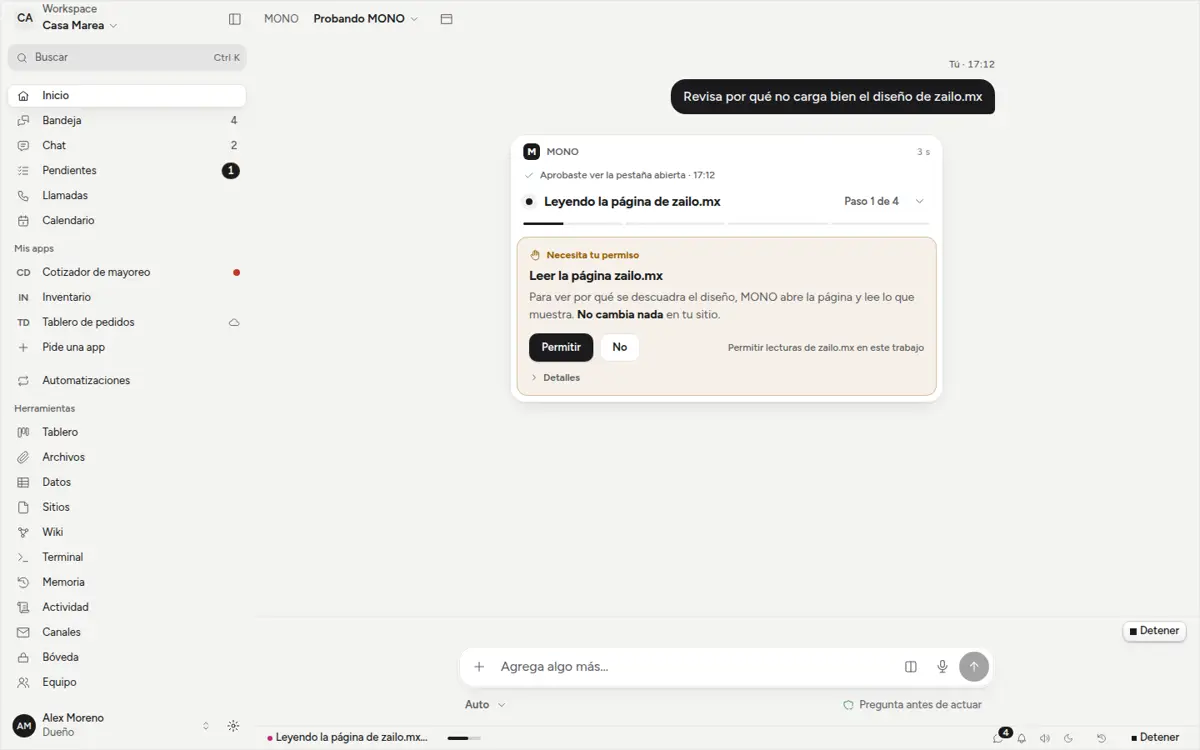
One card per turn: what MONO is doing and which step it's on, and the one thing it needs from you, in plain words. - New
Home greets you
Good morning with your pending items, your inbox, what's in progress and your apps. If something is worth doing, MONO suggests it with one button.
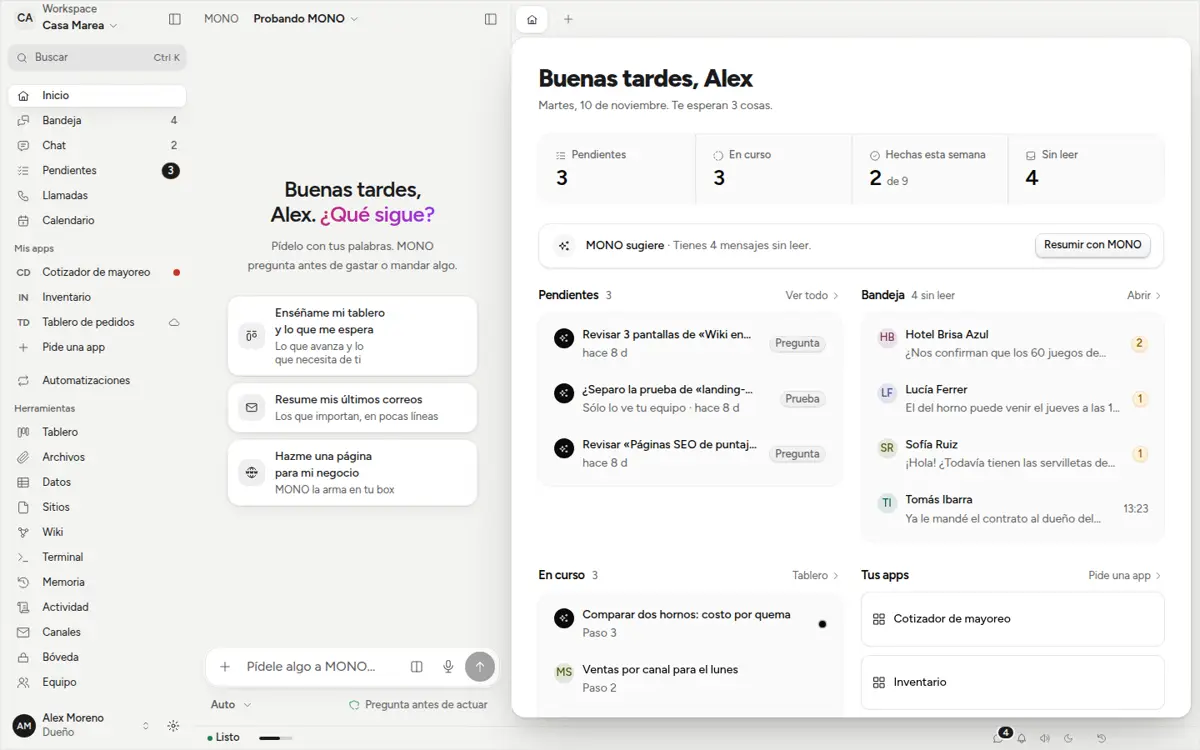
Home: good morning with your pending items, your inbox, what's in progress and your apps. - New
Who approves, at a glance
In Team each person shows an «Approves: yes / no / key missing» chip. If someone lacks the approval key, you give it with one click and they confirm by signing in; no need to invite them again.
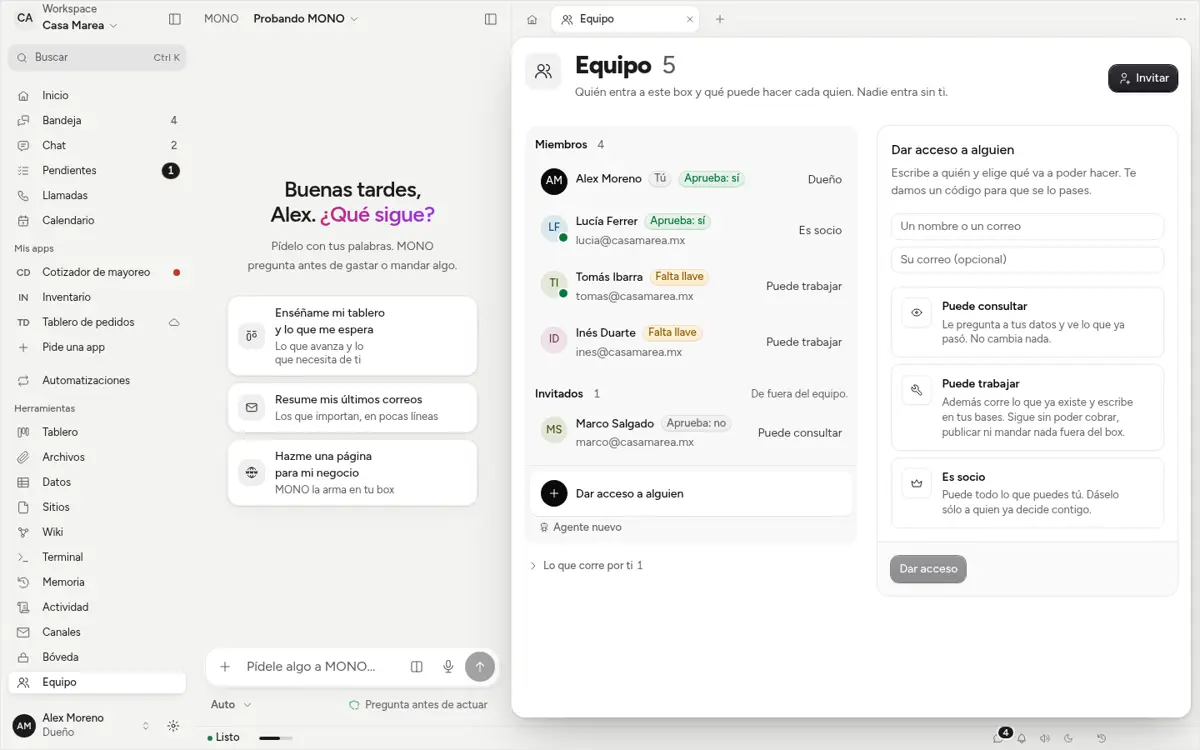
Team: each person with their «Approves: yes / no / key missing» chip and the «Give approval key» button. - Fixed
Details we fixed
On Mac it tells you when there's a new version and takes you to download it. «What's new» opens after updating without waiting for the network. Ctrl+Shift+T reopens the last tab. Your approvals show your name, and permissions are asked in plain words, with the command under Details.