0.131.0
You decide who joins your meeting
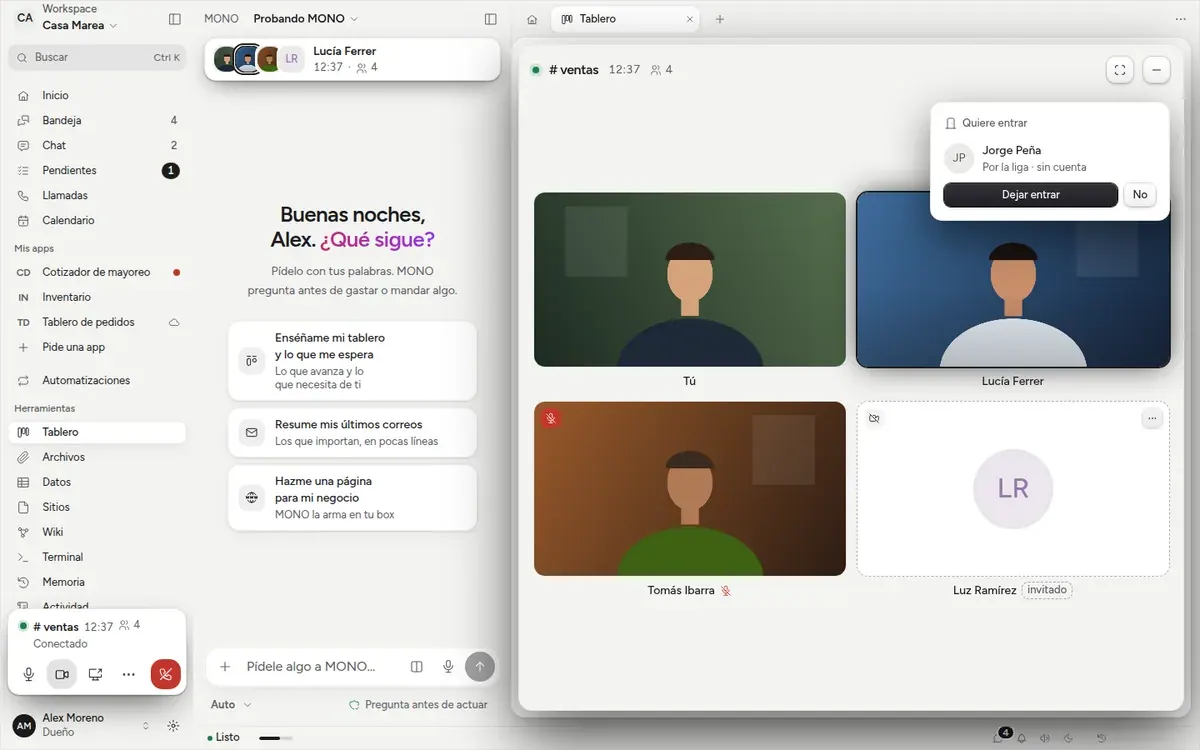
Someone who reaches a meeting through the link no longer walks right in: they say their name, knock and wait. You let them in or not, and you can remove whoever is already in.
- New
Waiting room
When someone from outside knocks, whoever set up the meeting (or an owner) sees «Wants to join» with their name. While they wait they see and hear nothing from the meeting. If nobody answers in three minutes they can knock again.
- New
Removing someone
A guest's tile menu has «Remove». They leave the meeting and that link won't let them back in: they would have to ask to join again.
- Fixed
The link says which meeting it is
Whoever opens the link sees the meeting's title and who invites them, instead of the group's name.