0.122.0
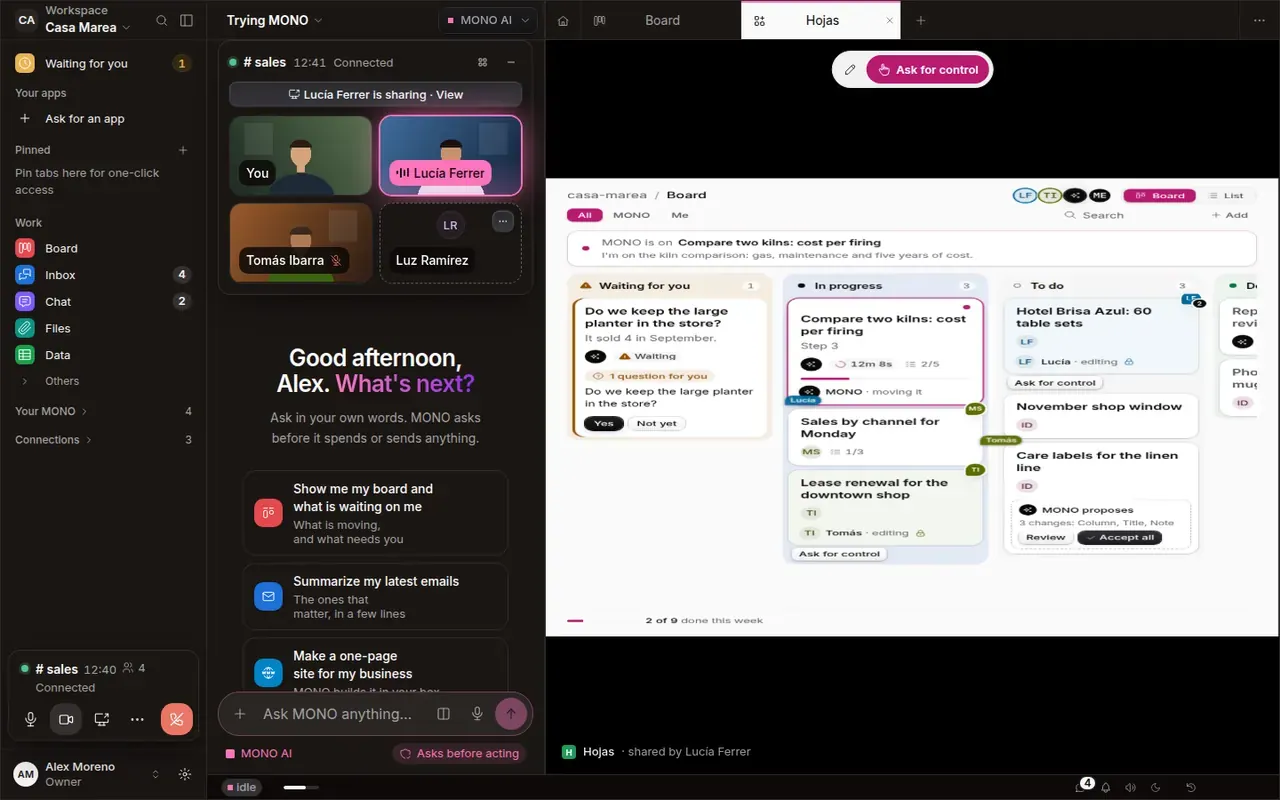
Share an app and work on it together
A new call where you see yourself, apps shared as a tab, a personal mode that leaves no trace, and your own AI plan.
- New
Share an app as a tab
Pick Excel or any app and your team gets it as a tab. With your OK they use it with their mouse, and so can MONO, with its own cursor, asking before it sends or pays.
- New
A call where you see yourself
Cameras live above the chat and minimize right there. Switch between Faces, Side by side and Focus; on a laptop, what's shared gets almost the whole screen.
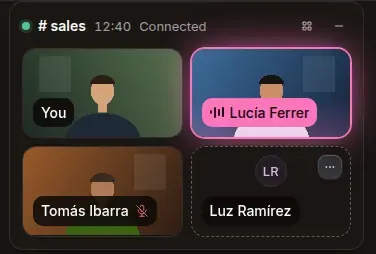
Cameras above the chat: you, Lucía talking, Tomás muted and a guest with no camera. - New
Personal mode
Personal things (visas, health, banking, family) turn private on their own and leave no trace in the workspace. What MONO learns about you goes to your personal memory, which follows you to every workspace.
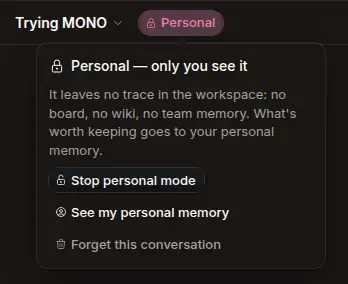
«Personal — only you see it»: no trace in the workspace, with «See my personal memory» and «Forget this conversation». - New
Connect your plan
Use your ChatGPT, Grok or Kimi subscription instead of MONO AI, from Settings. If anything fails, MONO carries on with MONO AI by itself.
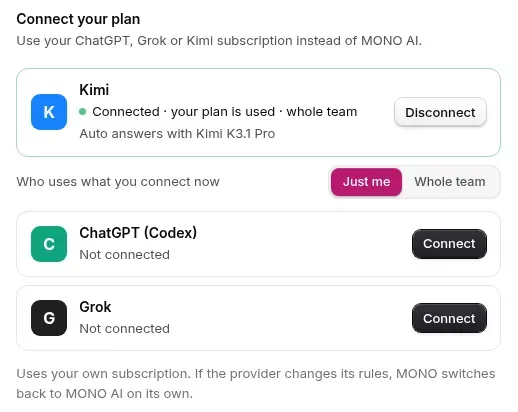
«Connect your plan»: Kimi connected for the whole team, and ChatGPT and Grok with their «Connect».