Can look
Asks your data and sees what already happened. Changes nothing.
A GPT is for working alone. MONO is for your whole team, together.
Everyone opens the same files, the same board and the same conversations, live. MONO works there too: it edits next to you, proposes changes, waits for approvals and keeps the plan moving.
Windows · Mac · Linux — your team's own server comes with it
MONO is a desktop app for Windows, Mac and Linux that puts a team's conversations, people, files and data, board and browser in one window, with an AI agent working inside. Every account gets its own server — its box — where the files, databases, vault and agent live. MONO picks the best AI model for each task (Claude, GPT, Gemini and others), and it never sends, charges or publishes without a person's approval.
For teams — agencies, sales, operations and professional firms — that want to work in the same files with AI inside, instead of each person alone in a chat. It also works for one person.
A chat assistant is great when you work alone. But the answer stays in your thread: your team doesn't see it, can't fix it, and starts again from zero.
Ana, Vero and Joe open the same conversation, the same document and the same board. Everyone sees what the others are doing, while they do it.
Ask @MONO in the team chat. It edits the sheet next to you with its own cursor, proposes changes you accept or discard, and asks before anything leaves the box.
You see who's where, live. When someone is editing a row, a card or a section, it's held with their name — and instead of overwriting each other, you ask for control.
MONO doesn't rewrite your work behind your back. It splits the card in two: what's there now, and what it proposes. You accept it, or you discard it.
On a card, a cell or a paragraph. They arrive live for everyone in the room, and MONO reads them too when you ask it to pick up the thread.
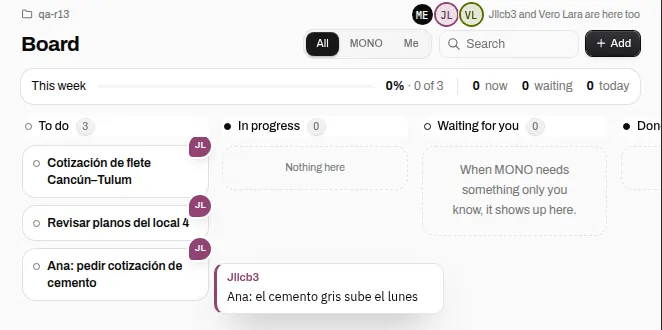
MONO turns a request into cards — with who does what — and moves them as the work moves. What needs a person lands in «Waiting for you».
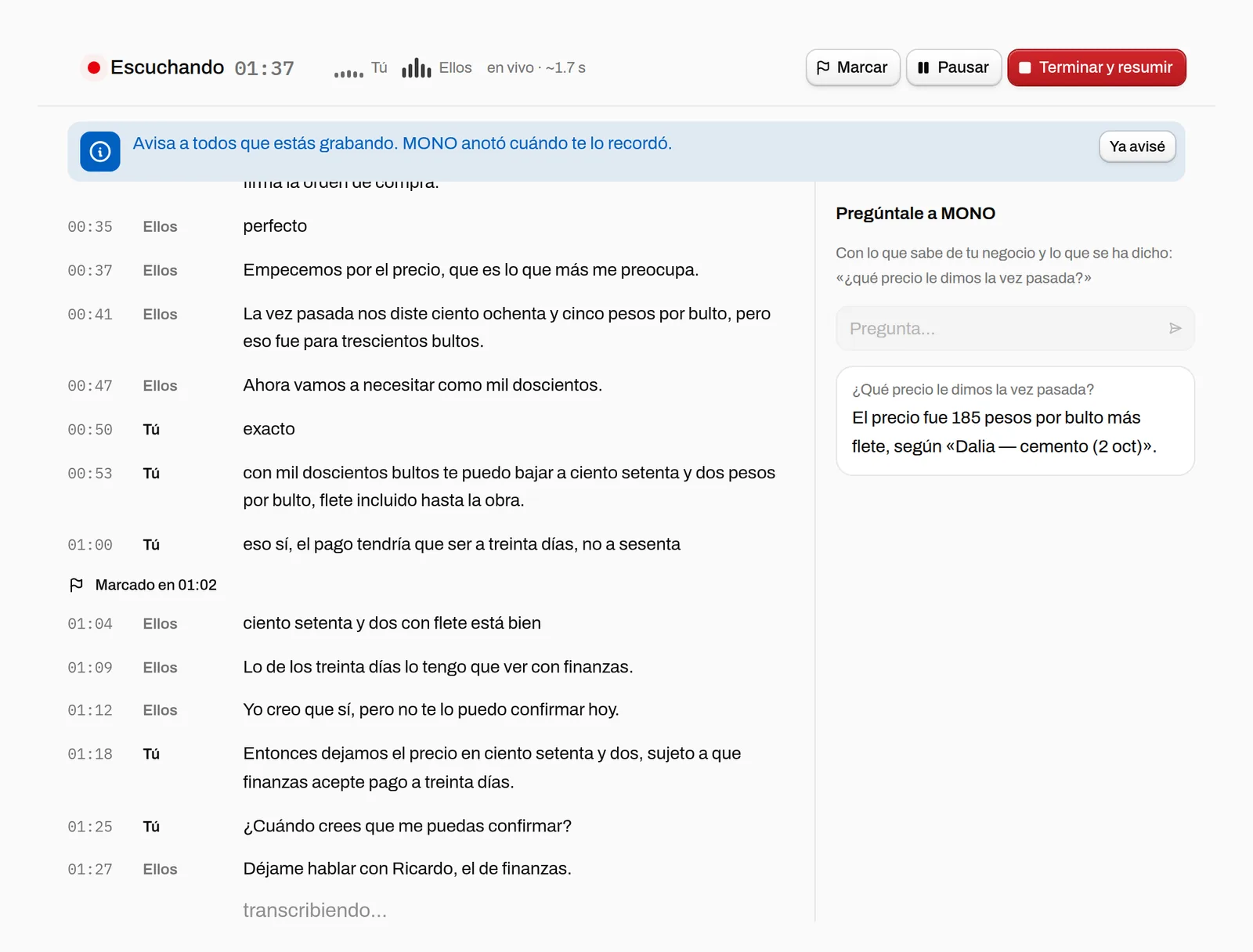
Any call, no bot joins. Live transcript, ask MONO mid-meeting, and when you hang up: summary, agreements and tasks on the board, with owners.
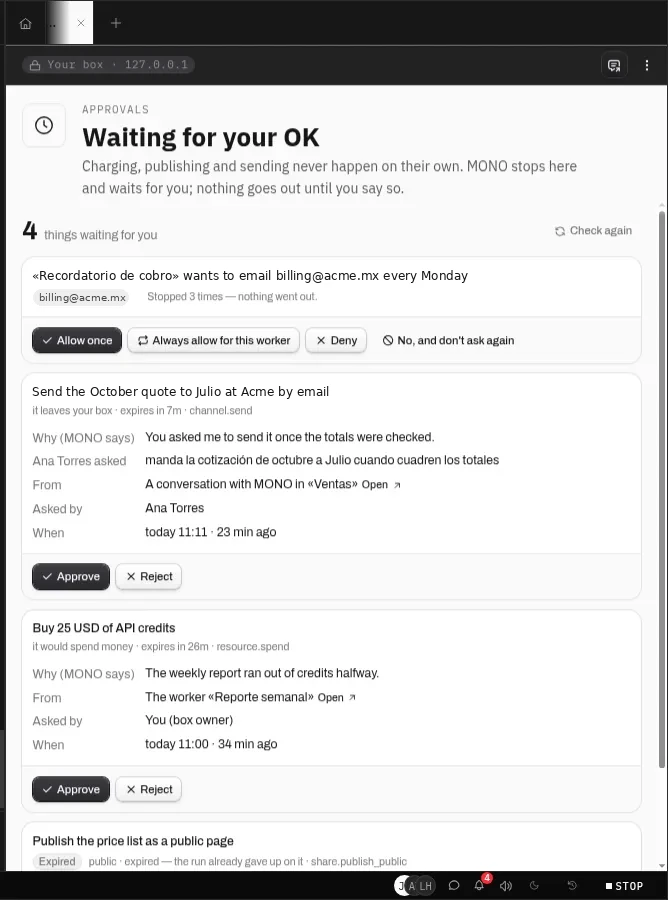
MONO can draft the email and prepare the charge, but it stops in «Waiting for you» — with why, who asked and from where. Your team works fast; nothing leaves without someone deciding.
Each person gets what they need, and the box enforces it — not the honor system.
Asks your data and sees what already happened. Changes nothing.
Edits the board, sheets and documents of your projects, runs what already exists and writes to your databases. Can't spend, publish, send out of the box or invite.
Can do everything you can. Give it only to someone who already decides with you.
Someone outside your team who reaches only the app you share with them.
We put 3, 10 and 25 people typing in a document, moving cards and editing rows non-stop, with cursors moving 20 times a second. The worst case of collaboration — and this is what the box did.
| Team | Server | Why |
|---|---|---|
| 1–3 | 3 vCPU · 4 GB | Collaborating doesn't show (<20% CPU). What weighs here is the rest: browser, video, workers. |
| 4–10 | 4 vCPU · 8 GB | 30% peak with 10 typing at once; room for the browser and workers at the same time. |
| 11–25 | 8 vCPU · 16 GB · two tunnels | 25 fit in 4 cores (59%), but the tunnel hits one core's limit: it has to be split in two. |
Measured on 10 Oct 2026 with 4 shared vCPU in Virginia. From Mexico the floor is distance (~100 ms p95). Today every box starts at the 1–3 size.
Everyone typing at once for a minute, MONO suggesting in the middle: no change lost, someone else's cursor in 51 ms (p95, same region), and all 403 actions in the log.
See the whole measured table A team bigger than 25? Talk to us
Download MONO, invite your team, and ask for the first thing.